
The Problem
When trainees sign in for the first time, they have no direction if their manager hasn't assigned them courses yet. Without a quick first win, new trainees are less likely to come back, which hurts long-term use of the system.
Goal: Get a new trainee from first sign-in to enrolled in a relevant course in about three minutes.
Who It's For
| Persona | Description | Primary need |
|---|---|---|
| New trainee | First time in the system; may or may not have courses assigned by a manager | Set up an account and find something worth learning right away |
| Referred trainee | Joining through a company referral, so linked to a team and manager | Confirm the right team and manager so assigned training shows up |
Discovery
- Reviewed the existing data models to set a baseline.
- Reviewed support and bug tickets for sign-up pain points.
- Planned conversations with trainees and managers about what each wants from the system.
- Looked at the business case to decide which push would pay off.
Requirements
I sketched what the entire onboarding process needed in the requirements draft, giving me a starting point for full functional exploration.
From there, I wrote a requirements specification with user stories, acceptance criteria and non-functional requirements, including a three-minute completion target and a two-second budget for loading recommendations.
The flow was cut down to only the steps that serve the goal:
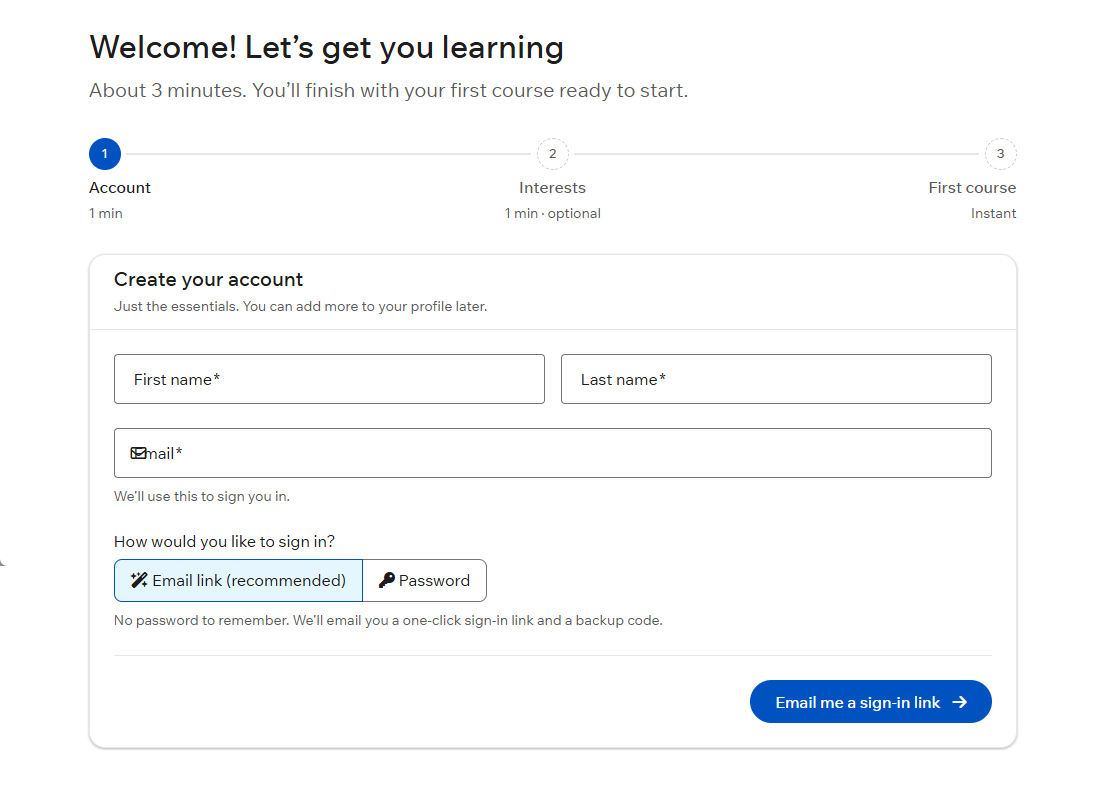
- Account setup: only the essentials, with an email sign-in link or a password.
- Team confirmation: only for referred trainees, pre-filled from the referral.
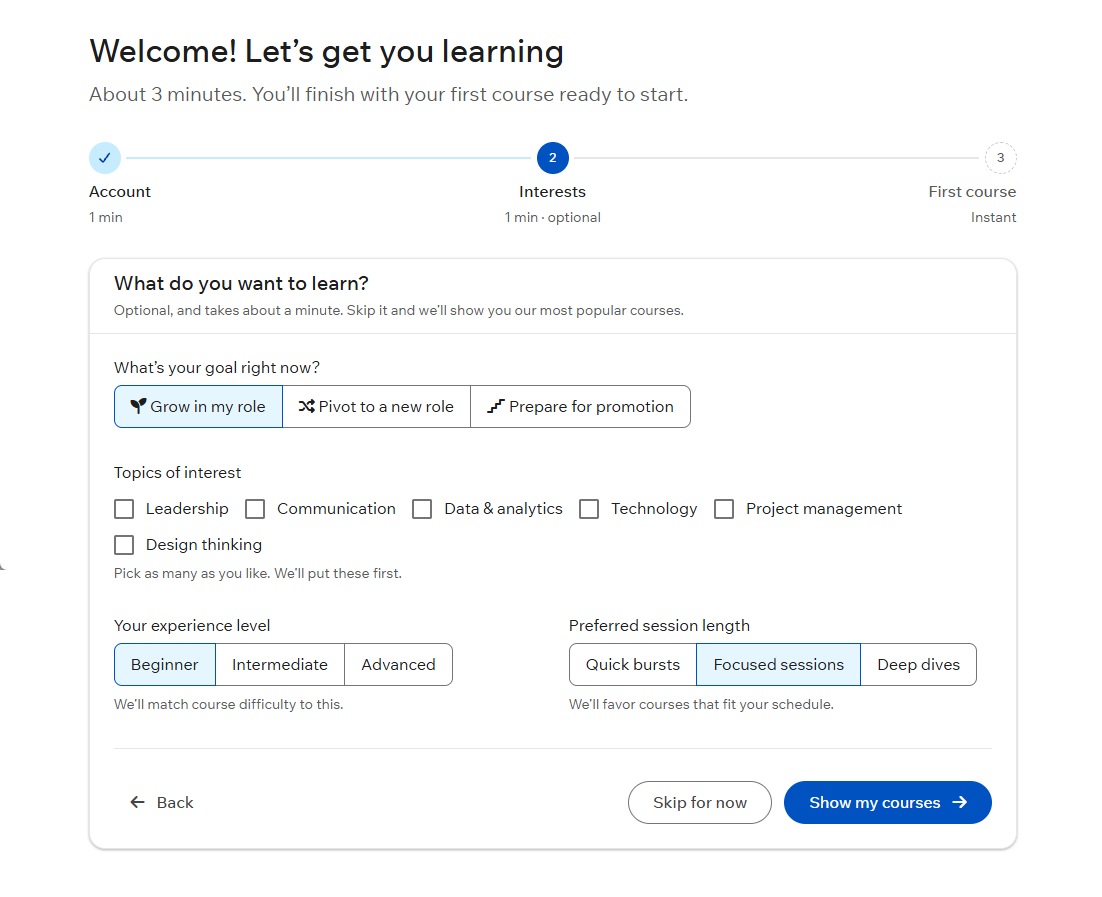
- Personalization: goal, interests, level and session length. Optional.
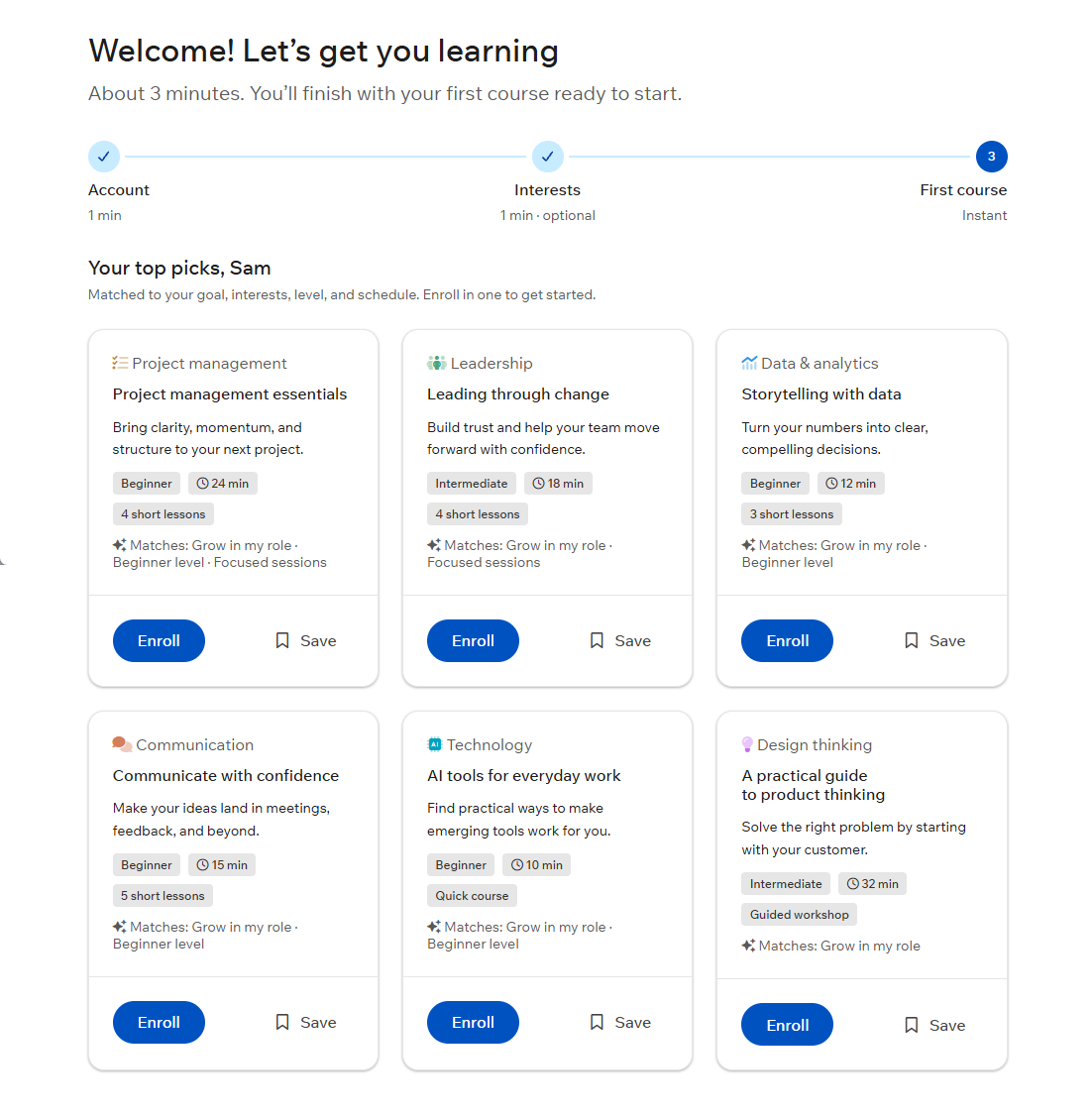
- Recommendations: up to six matched courses.
- First win: enroll in one click.
Design Decisions
-
Remove the riskiest friction
Account creation is where people get most annoyed, so it asks for the bare minimum and offers an email sign-in link as an alternative to creating a password.
-
Show the cost up front
A progress indicator labels every step with its estimated time and skill level so people know the commitment before they start.
-
Skippable, never a dead end
Personalization can be skipped. If it is, trainees still get the platform's most popular courses, so every path ends with a course.
-
End on a first win
The last step isn't a "you're all set" screen. It's six relevant courses with one-click Enroll or Save, so the trainee leaves with something to start.
Measuring Success
| Metric | Target | How It's Measured |
|---|---|---|
| Time to first launch | About 3 minutes to enrollment | Account created → first course launched |
| Wizard completion rate | Increase vs. baseline | Wizard started vs. finished |
| Drop-off rate per step | Decrease vs. baseline | Analytics event per step |
| Recommendation click-through | Increase vs. baseline | Enroll / Save clicks on recommended courses |
What's Next
- Role-based Branching: Route individual learners and team managers or admins down different paths, once the learner path is validated.
- Onboarding Analytics: Track time and drop offs per step, completion rate and recommendation click-through to tune the flow after launch.
- Accessibility: Full keyboard navigation, visible focus states and screen-reader labels (WCAG 2.1 AA).